 .
.To override a prescription's price:
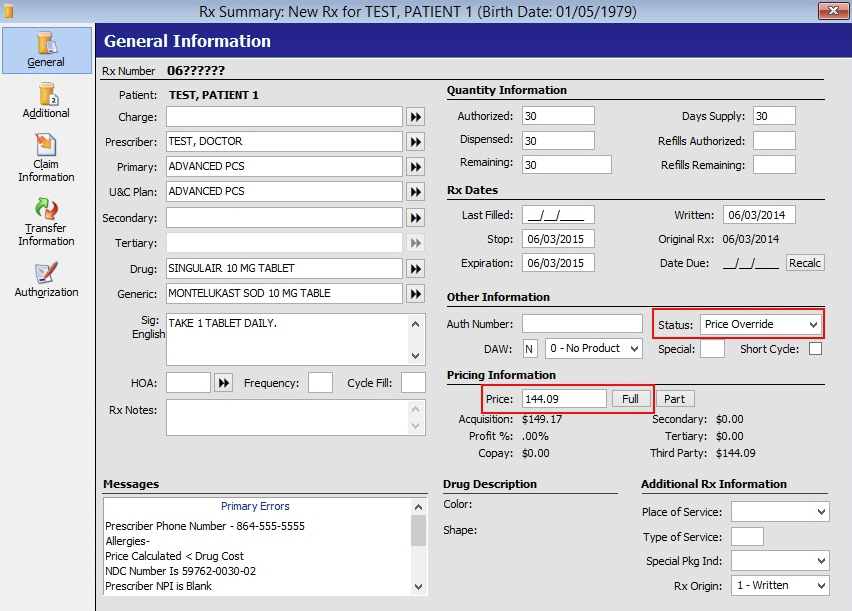
1. From the Rx Summary General Information screen, type the amount to charge in the Price field under Pricing Information. Click Full or press ALT+U to perform the price override.
2. Press CTRL+S or click .
3. The Status now displays as Price Override.
Return to Common Prescription Processing Functions