Drug Categories for Billing Matrix
Use the Drug Category field to group drugs strictly for billing purposes.
Use Drug Categories in conjunction with the Billing Matrix.
Access the desired Drug Record and
click the Clinical icon on
the vertical tool bar.
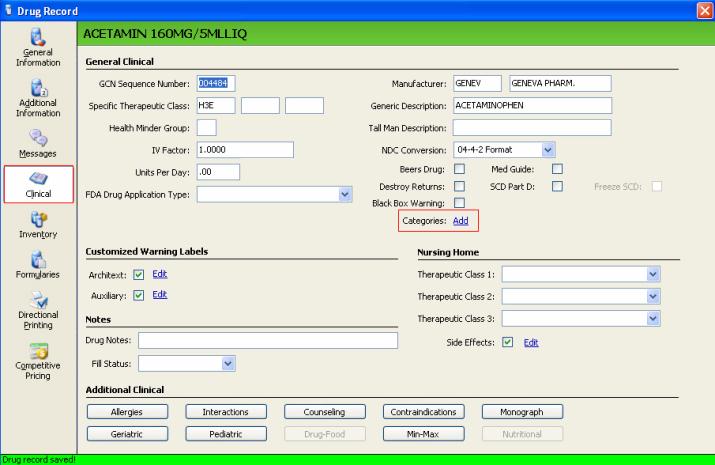
Click the Categories Add
hyperlink; Drug Categories displays.
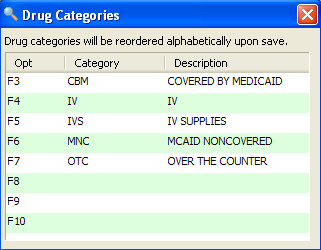
 The Pharmacist/Technician
Security Options control the ability to add or edit drug categories.
The Pharmacist/Technician
Security Options control the ability to add or edit drug categories.
Press the corresponding function key
to choose the drug category.
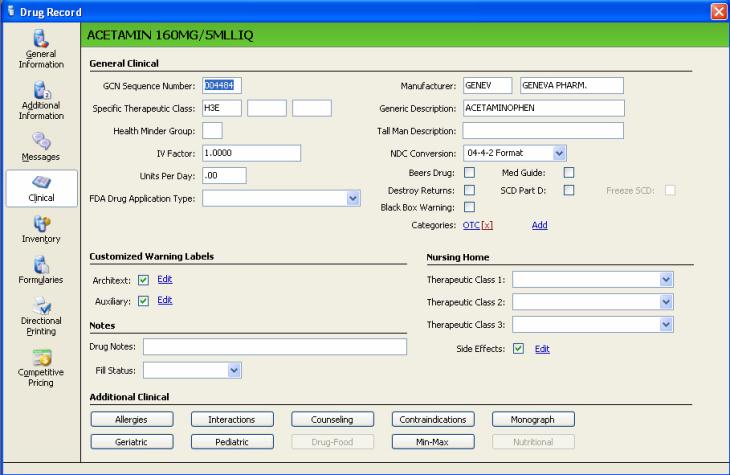
The system adds the selected category
to the clinical window as a hyperlink. Click Save.
Drug File Reset
The Drug Reset option enables a batch update/reset of the Drug Category
hyperlink.
On the menu bar, click System
Utilities. Select File Resets
and click Drug. The Selective
Drug Reset Options display.
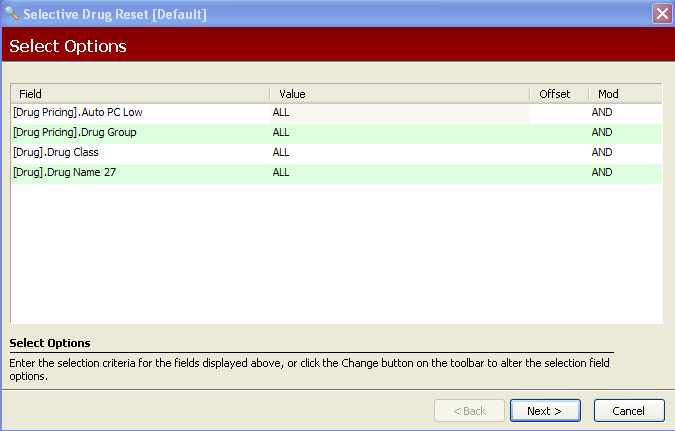
Select the drugs to be updates by drug
group(s), specific therapeutic classes, generic sequence code(s),
etc. This example selects drugs with the drug class OO, indicating
over-the-counter drugs. Click Next;
the Sort Options display.
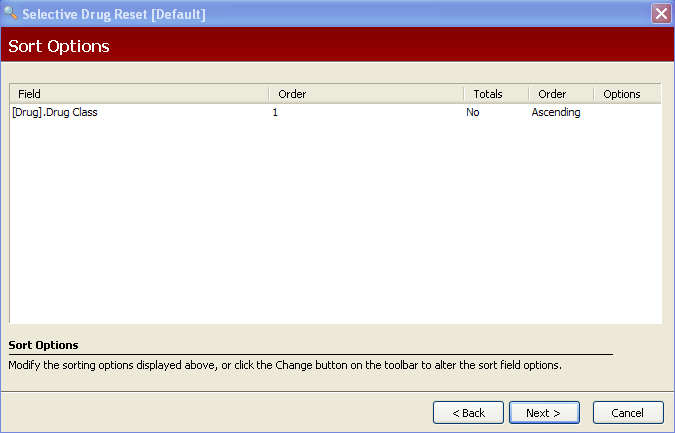
Make any necessary changes. Click Next; the Print Options display.
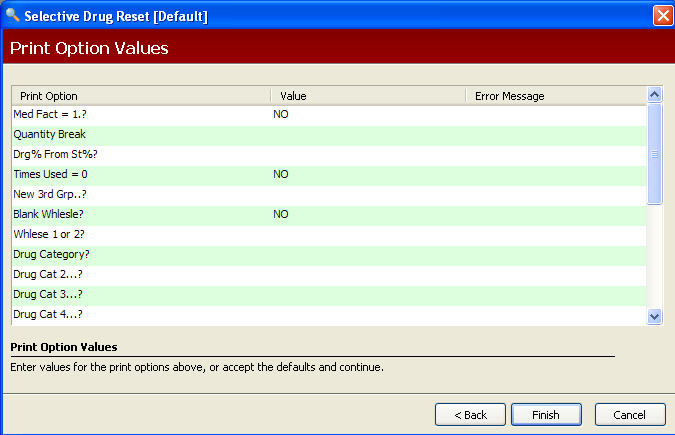
Answer NO
to the following:
Type OTC
in the Drug Category value to update all OTC drugs.
After setting the Print Options, click
Finish; the system updates
selected drugs with the OTC drug category code.