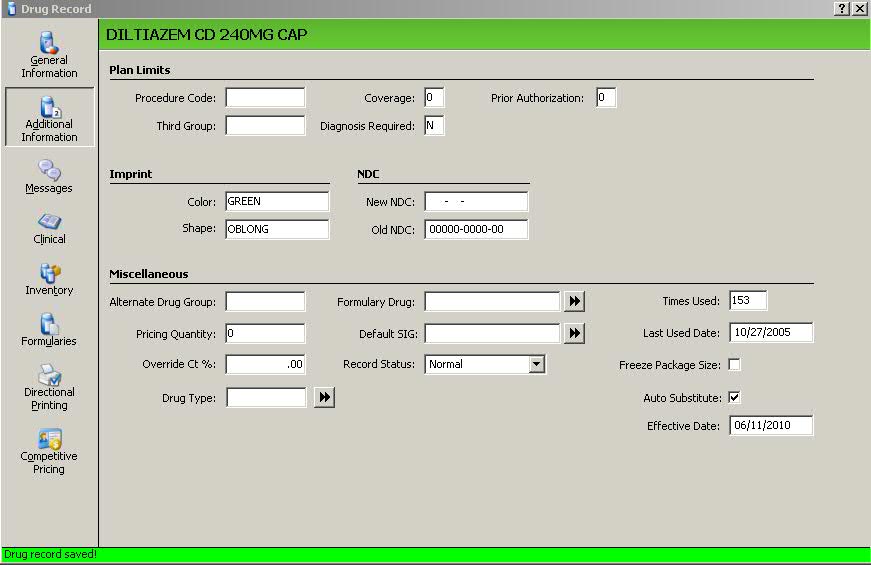
If the inventory for the generic drug linked to the brand runs low/out, another generic may be automatically substituted on future prescriptions using the Auto Substitution Feature.
To substitute a different generic drug for the brand:
1. Access the main generic Drug Record, Additional Information screen:
2. Check the Auto Substitute field.
3. Type the effective date for the substitution in the Effective Date field.
4. Press CTRL+S or click
 .
.
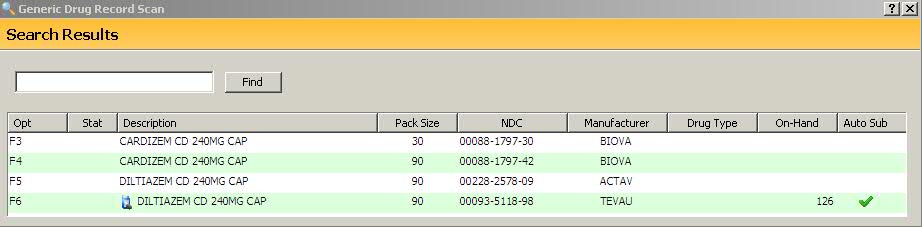
5. A check mark displays in the Generic Drug Record scan to show the generic is currently linked to the brand:
Return to Create Drug Records in NRx